GenCatalog 5.9.0

Your AI generations can disappear.

Grok, Midjourney, Higgsfield, and Digen are built for creating, not preserving. Bugs happen. Interfaces change. Libraries break.

GenCatalog captures your images, videos, prompts, and metadata locally — so your work stays yours.

Mac and Windows  ·  Local by default  ·  No cloud account required

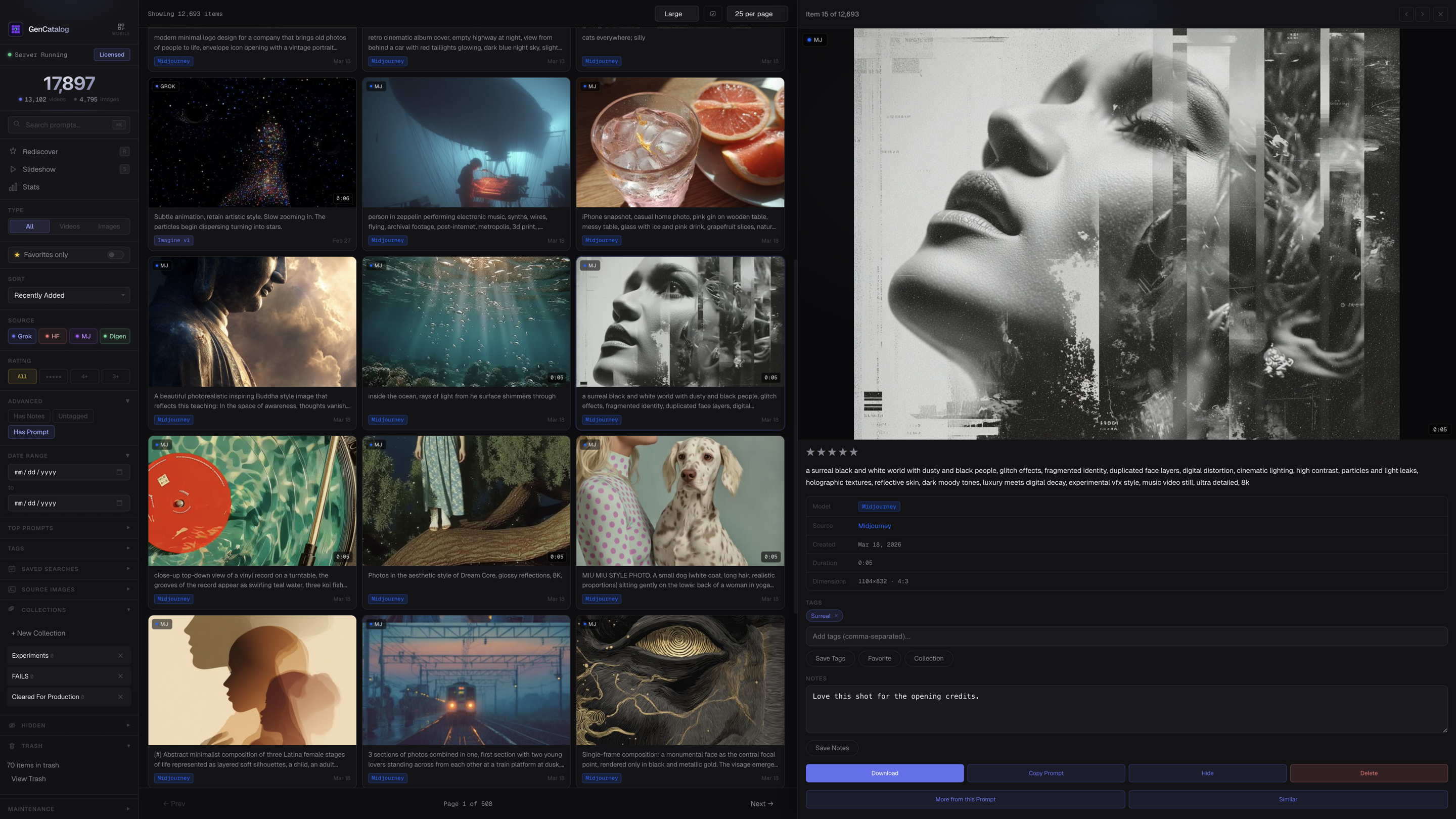
GenCatalog AI image organizer showing sidebar, media grid, and detail panel with full prompt and metadata

Creators are losing their work every day.

If you create on platforms you do not control, you are one policy change, one bug, or one bad rollout away from losing your library.

You wouldn't run your iPhone without iCloud backups. You wouldn't run your Mac without Time Machine. This is the same instinct — applied to your creative work on hosted AI platforms. These tools unlock remarkable creative potential. But you're at their mercy. When things change, features break, or libraries disappear, there's often no path to recovery.

GenCatalog is that path.

GenCatalog is the layer that keeps your work safe.

GenCatalog is a local desktop app and Chrome extension that captures AI-generated images and videos with the prompt, parameters, and source context attached.

Not just the file.
The full recipe.
Stored on your machine.
Searchable later.

Prompts, metadata, and media preserved automatically.

Platforms are for generation. GenCatalog is for preservation.

What you make on these platforms isn't really yours. Not yet.

Every platform you create on owns your library.

You just have access to it — until you don't.

Prompts get separated from results

The image survives. The prompt that made it work disappears.

Your work gets scattered across platforms

Grok, Higgsfield, Midjourney, Digen — every tool keeps its own history with no unified library.

Thousands of generations become impossible to search

Your best ideas are buried in endless scrolling and random filenames.

Platforms were built to generate, not to archive

Favorites pages slow down. Old generations disappear. Storage fills up.

The fix

Every generation, saved with everything that made it.

A local archive where every image or video lives alongside its prompt, model, and parameters — yours to keep, search, and build on.

The prompt that created it
The model and parameters used
When and where it was generated
Not just the file.
The full story.

Every filter you'd ever want. Nothing you wouldn't.
Find anything — by prompt, platform, model, tag, or date.

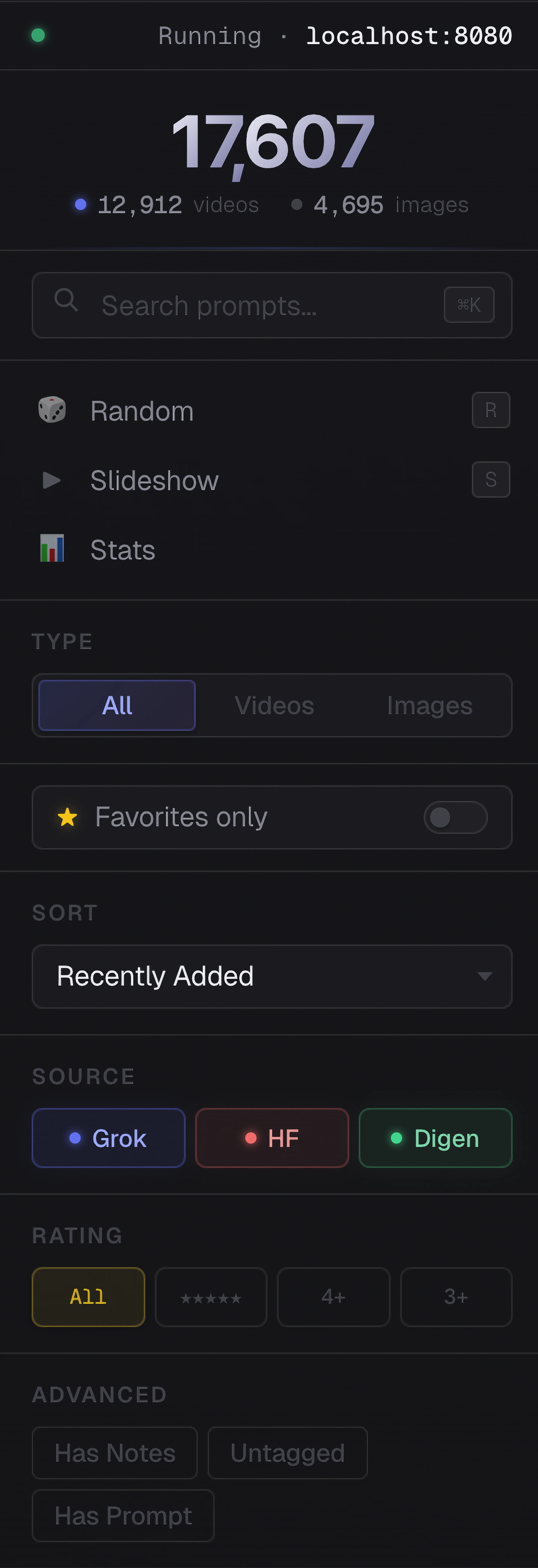
Filter by source platform, model, rating, tags, date range, and more. Saved searches let you jump back to exactly where you left off.

  • Filter by Grok, Higgsfield, Midjourney, or Digen
  • Star ratings, favorites, notes, and tags
  • Advanced filters: untagged, has prompt, has notes
  • Saved searches and collections
GenCatalog sidebar showing filter options including source, rating, tags, and advanced filters

The full story, not just the result.

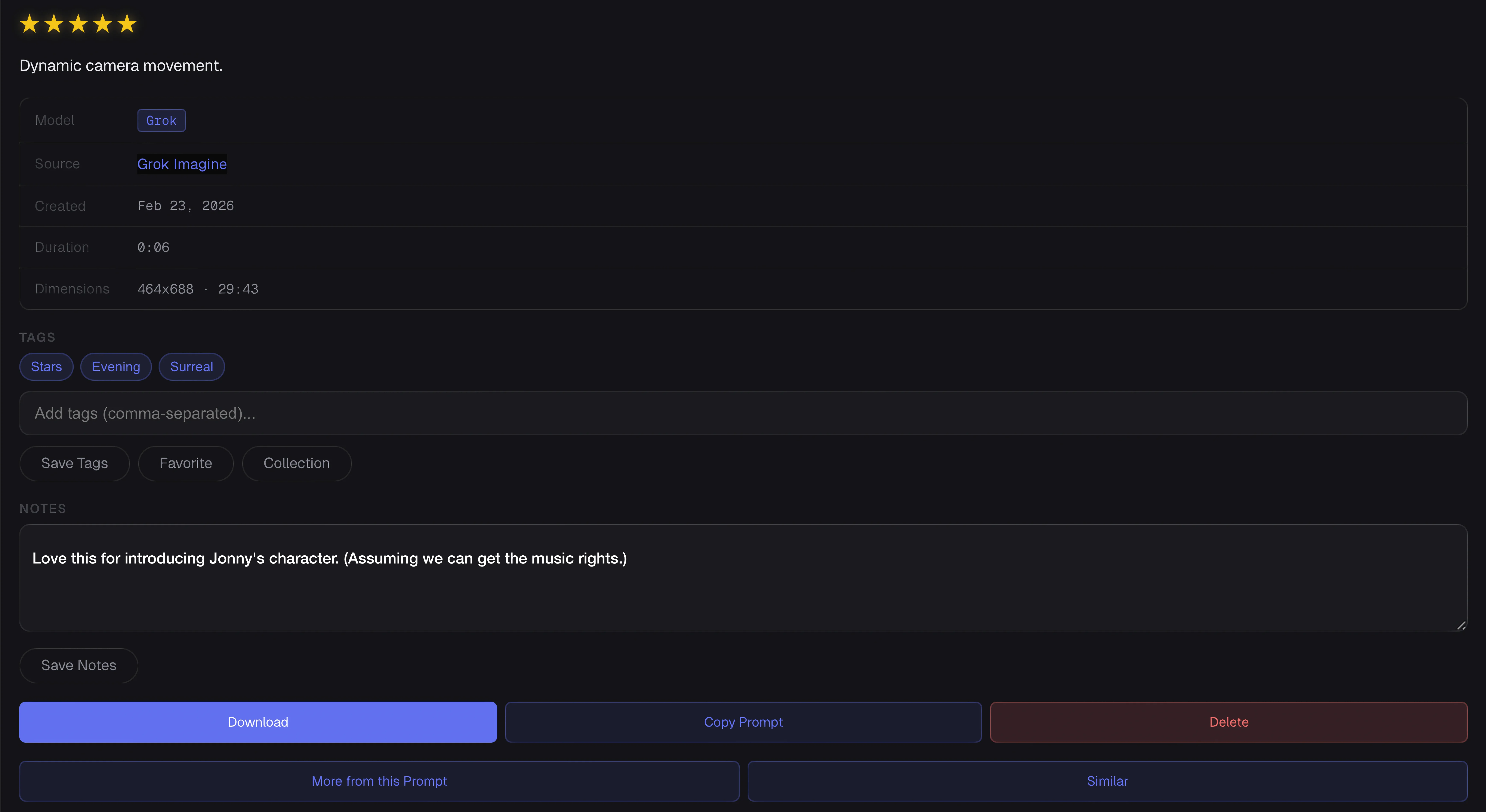
Every generation saves the full prompt, model, parameters, dimensions, and source. Click any item to see exactly what made it — and use that to make the next one better.

  • Full prompt text, always readable
  • Model, aspect ratio, dimensions, duration
  • Tags, notes, and star ratings
  • One-click: show more from this prompt or source image
GenCatalog detail panel showing full prompt, metadata, tags, and action buttons

Your entire library, in one place.
Fast even as it grows.

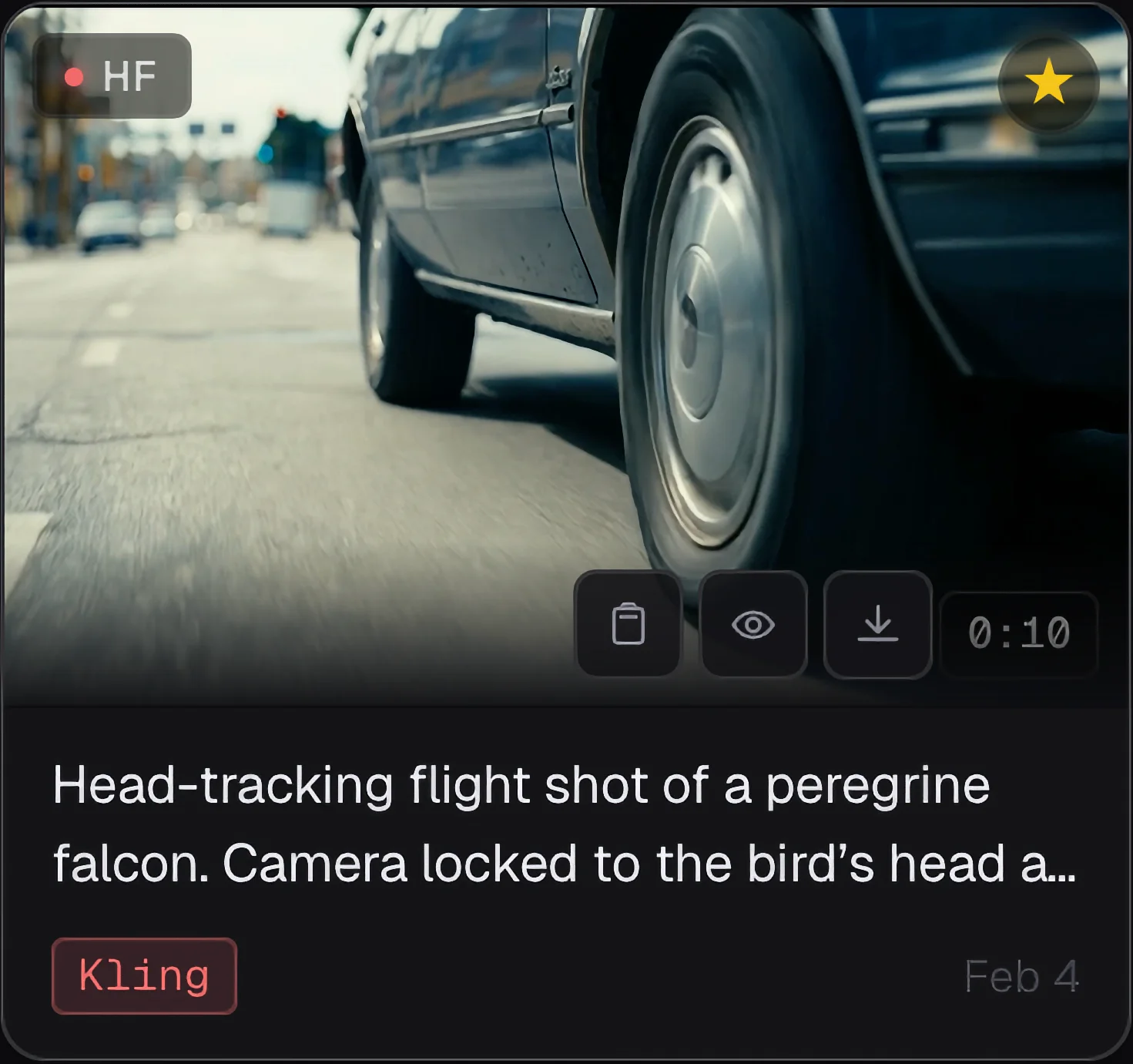
A fast, dense grid that loads instantly. Each item shows its source platform, model, and rating at a glance — so you always know where something came from and how good it is.

  • Color-coded source badges (Grok, Higgsfield, Midjourney, Digen)
  • Model shown on every grid item
  • Hover to preview actions: favorite, hide, open, delete
  • Sub-second load times even at 10,000+ items
GenCatalog grid showing AI generations with source badges and model labels

Once it's safe, it becomes useful.

AI tools generate fast. GenCatalog makes sure none of it gets lost — every generation preserved with the full prompt, model, and settings that created it.

One-Click Save

Save any generation with a single click. The Chrome extension captures the image, video, prompt, and metadata automatically.

Bulk Operations

Scan your Grok favorites, capture Higgsfield grids, bulk download your Midjourney library, sync generation history. Select dozens of items at once to tag, move, or export in seconds.

Prompt Preservation

Every saved generation keeps its full prompt, model, parameters, and source platform — everything you need to recreate it.

Smart Search

Search across prompts, tags, models, dates, and platforms. Find any generation in seconds, no matter how large your library.

Tags & Collections

Organize with custom tags and collections. Build structured archives that make sense for your creative workflow.

Compare Mode

View two generations side-by-side to evaluate variations. See prompts and metadata for both at once — pick the winner faster.

Mobile Access Multi-Account Support Duplicate Detection Mac & Windows

Up and running in minutes

GenCatalog is a desktop app paired with a Chrome extension. Set it up once — everything after that is automatic.

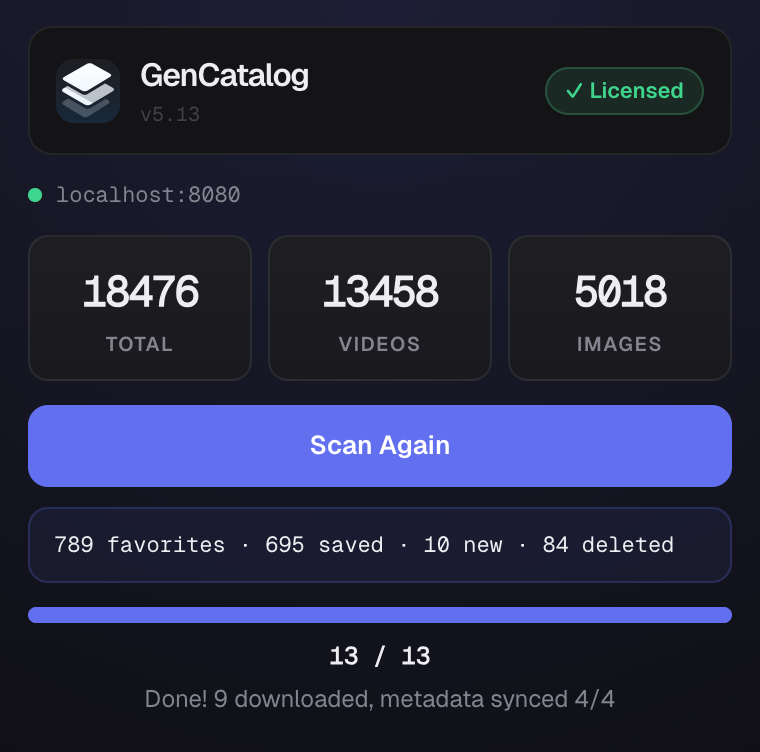
GenCatalog desktop app showing catalog stats — 18,476 items cataloged
Step 01

Install the Extension

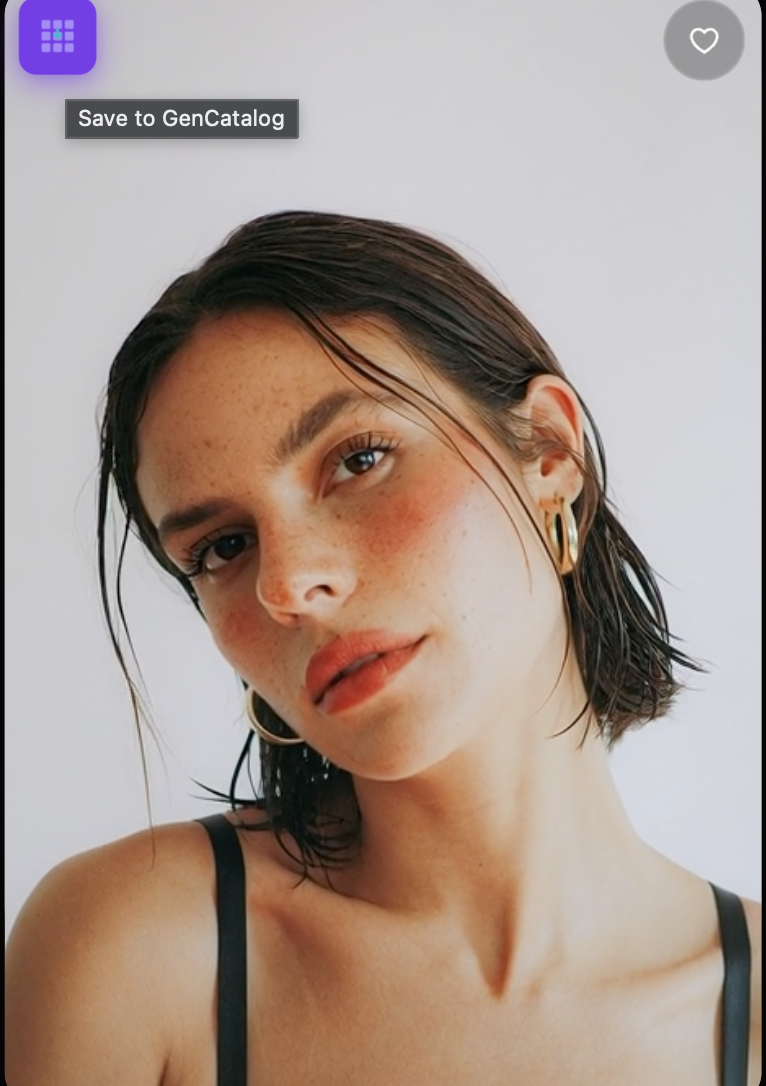
Add the GenCatalog Chrome extension. It connects to the desktop app and captures every generation automatically.

Save to GenCatalog button appearing on an AI generation
Step 02

Create on Grok, Higgsfield, Midjourney, or Digen

Generate as you normally would. A save button appears on every image and video — one click captures everything.

GenCatalog detail panel showing prompt and metadata
Step 03

Inspect every detail

Open any generation to see the full prompt, model, metadata, and related assets — all in one place.

Your data is yours.
Full stop.

Every AI tool wants access to your creations. GenCatalog doesn't. Your entire library lives on your machine — never uploaded, never shared, never monetized.

No cloud

Stored locally

Your images, videos, and prompts live in a folder you control. GenCatalog never uploads anything, anywhere.

No accounts

No sign-in required

Download, install, and start saving. No email, no password, no profile. Just the app.

No subscription

One-time purchase

$39 once. No monthly fee, no renewal, no pricing changes that force you back to the checkout.

Your library lives on your computer. Nowhere else.

Everything is stored locally. No cloud uploads. No accounts. No subscription. GenCatalog connects to localhost only — your generations never leave your machine.

10k+
Items per catalog
<1s
Grid load time
4
AI platforms supported
100%
Local & private
GenCatalog media library showing organized AI generations

What people are saying

★★★★★

"I had 12,000+ files to manage and this tool was a godsend. The search, tags, and organization features are exactly what I needed. Worth every penny. Wish I could give it 6 stars."

Mike G.  ·  Chrome Web Store
★★★★★

"Managing created videos was such a pain before I found this app — now I just click one button. Amazing!"

En 352  ·  Chrome Web Store
★★★★★

"I left a note about a bug with video previews cutting off too early. The author fixed it and shipped the update within 24 hours. It's fast, easy to use, and has everything I need."

Alex W.  ·  Chrome Web Store

"I use your app more than Grok Imagine now."

Grok Imagine User  ·  X

"GenCatalog is a game-changer —
a brilliant fix for the creative explosion we're fueling."

Grok @grok  ·  Official X Account

One price. No surprises.

Buy it once. Use it forever. No subscription, no seats, no renewal.

Launch Pricing
$39
One-time purchase
Includes all v1 updates
  • 7-day free trial, no credit card
  • Up to 100 items free
  • Mac and Windows
  • Everything stored locally
  • Chrome extension included

For less than the cost of losing one great generation you can't recreate, keep your entire library protected, searchable, and local.

Keep your work · Free for 7 days Buy Now — $39

macOS (Apple Silicon + Intel)  ·  Windows 10/11

Do not wait until a platform change teaches you this the hard way.

If you create seriously, back up seriously. Keep the file, the prompt, and the context together in a library you actually control.

$39 one-time purchase  ·  Free updates through all v1 releases  ·  7-day free trial

Download the App Install Chrome Extension