Files drift away from their prompts.
Downloads pile up while the model, settings, source, and reason they mattered disappear.
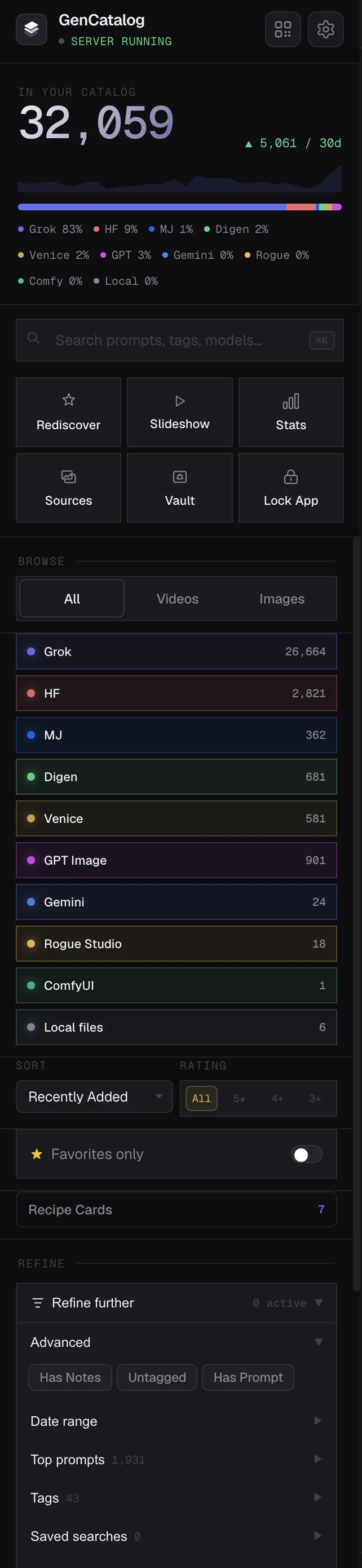
GenCatalog: the recipe stays attached whenever the source provides it.
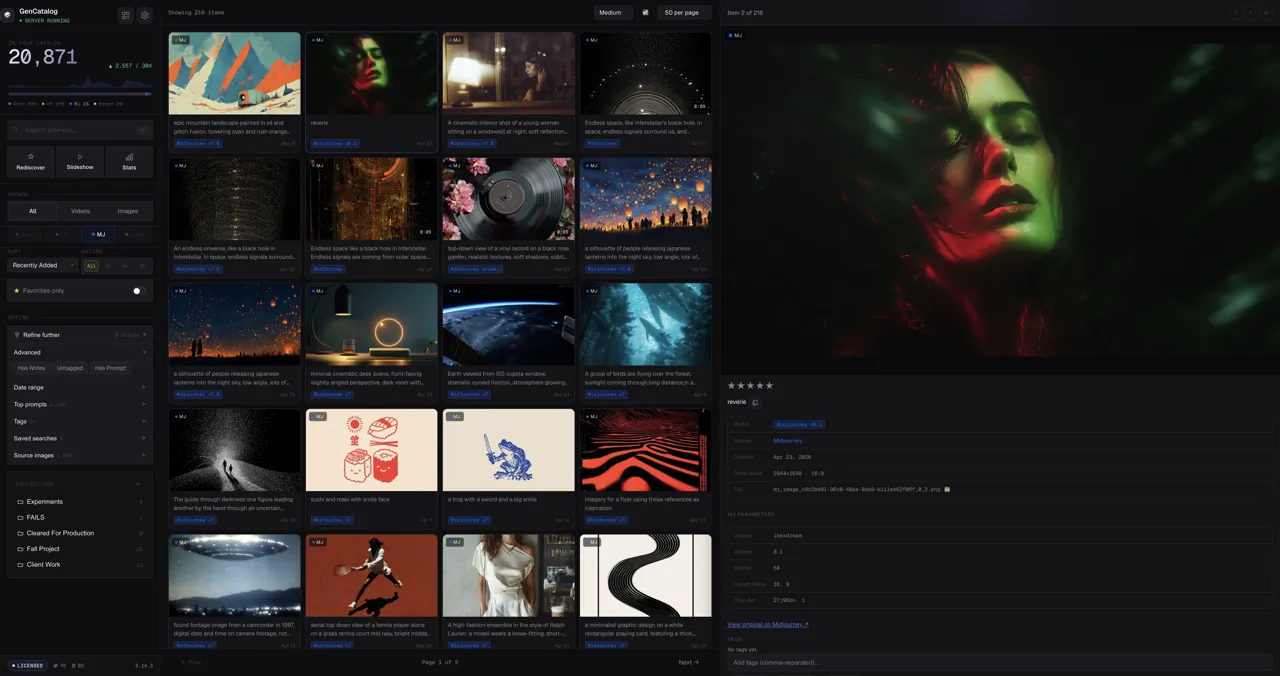
Prompts disappear. Favorites become cluttered. Output folders keep filling up. GenCatalog brings your AI images and videos into one searchable local library—and preserves how each result was made when that context is available.
7-day trial Up to 250 saves Local by default
“Pays for itself in the first day.”
The archive layer
Generation platforms help you create. GenCatalog helps you remember—without moving your work into another cloud or asking you to rebuild the context by hand.
Downloads pile up while the model, settings, source, and reason they mattered disappear.
GenCatalog: the recipe stays attached whenever the source provides it.
A long feed can hold thousands of images and still make the exact one impossible to retrieve.
GenCatalog: one local library brings captures, imports, and watched folders into a searchable catalog you control.
Filenames do not know the prompt, source, account, tags, notes, rating, or workflow behind a result.
GenCatalog: search by prompt, platform, tags, media type, dates, notes, and account.
Save → Find → Reuse
Bring in work from the sites and folders where you create. Search by the context you remember. Reuse the full recipe when the work becomes useful again.
On supported creation sites, one click saves the result with the prompt, settings, source link, and other available creative context.

Search thousands of generations by prompt text, tags, models, platforms, filenames, notes, and creator or account fields.
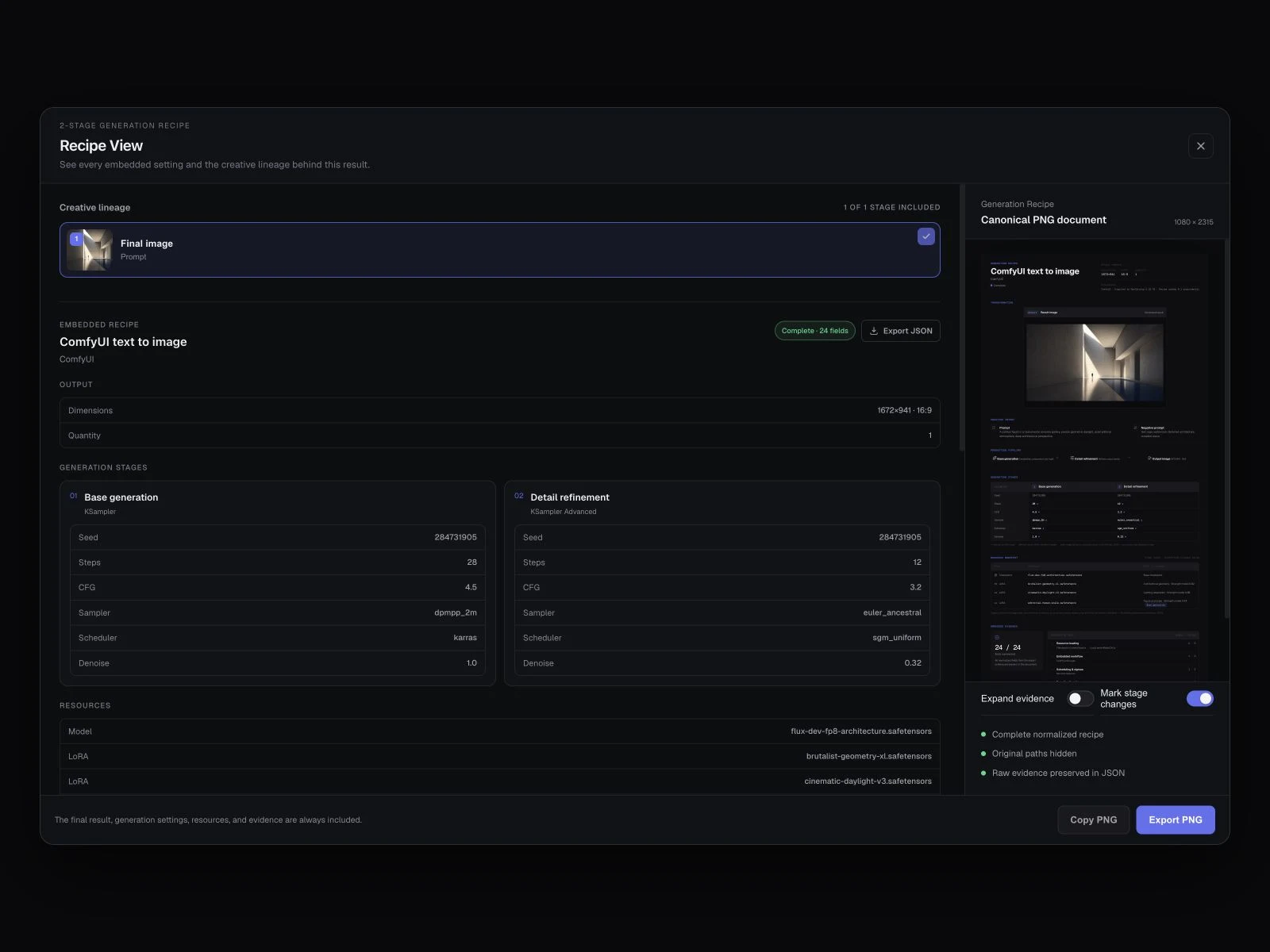
A Generation Recipe keeps the available prompts, stages, settings, models, resources, and output details together—and preserves the original embedded evidence behind them.
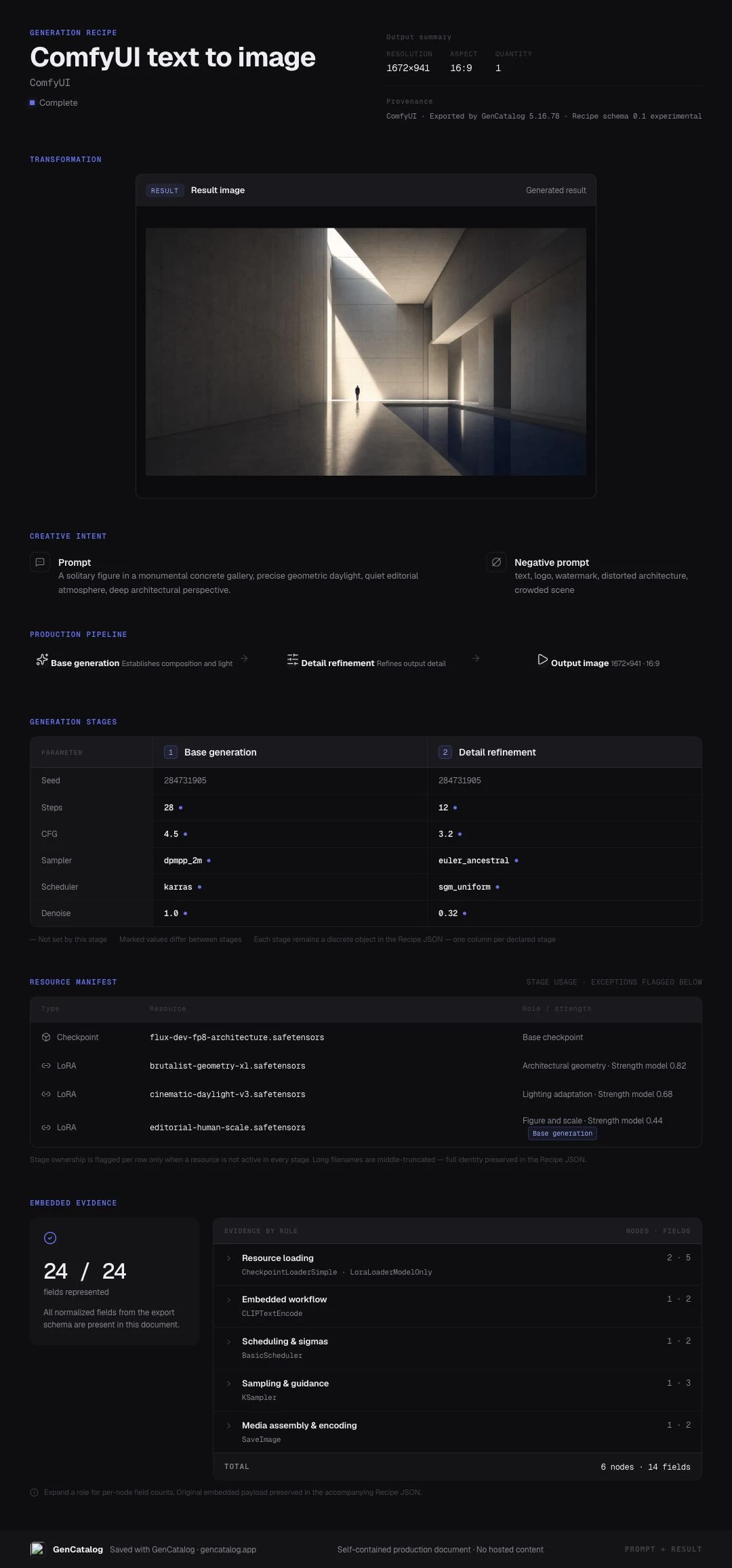
Copy or export a clean PNG that keeps the result, lineage, prompts, settings, and resources together in one self-contained document.
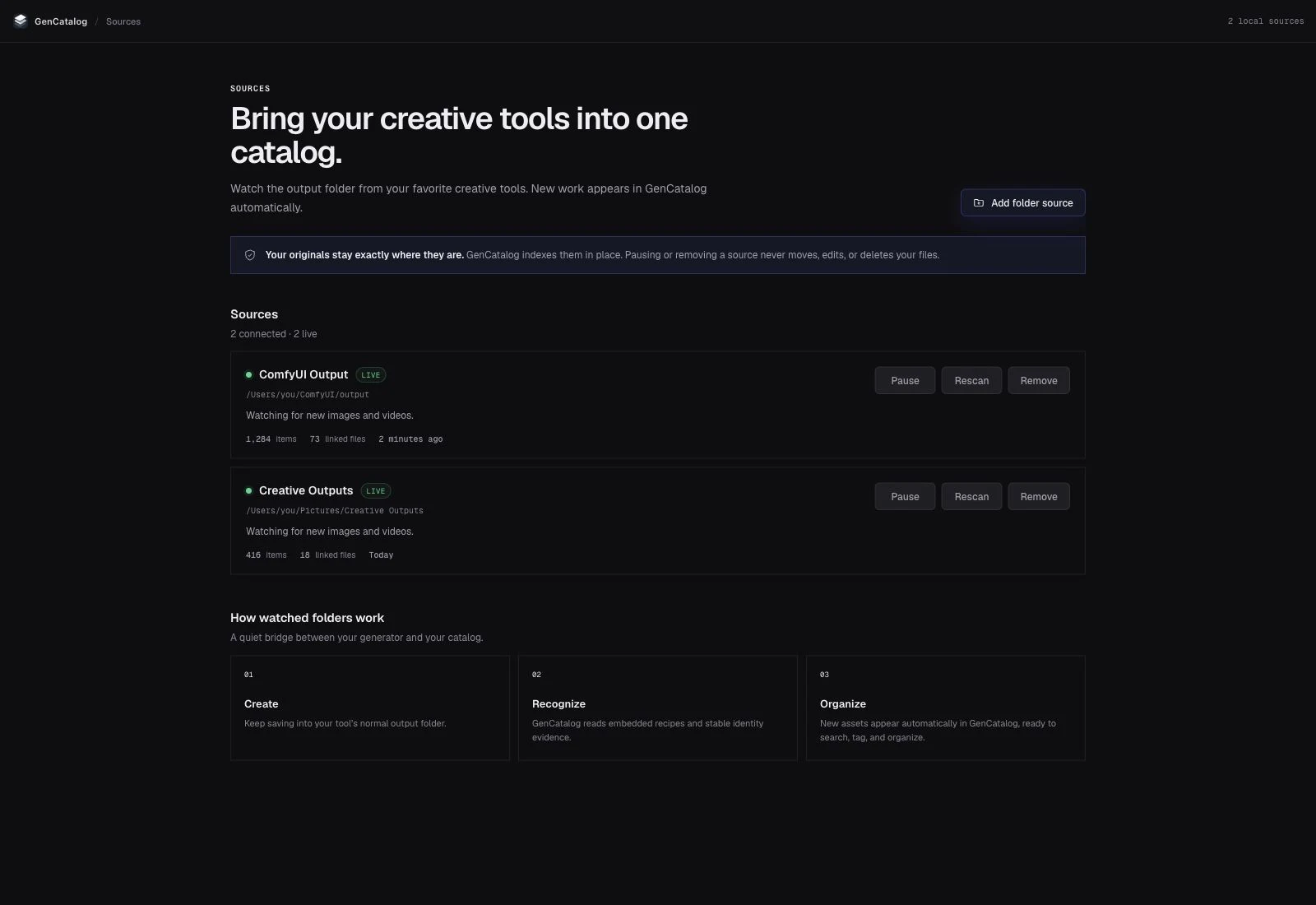
Connect an output folder once and GenCatalog watches for new images and videos. Your files stay exactly where they are while the available prompt, settings, and workflow become searchable.
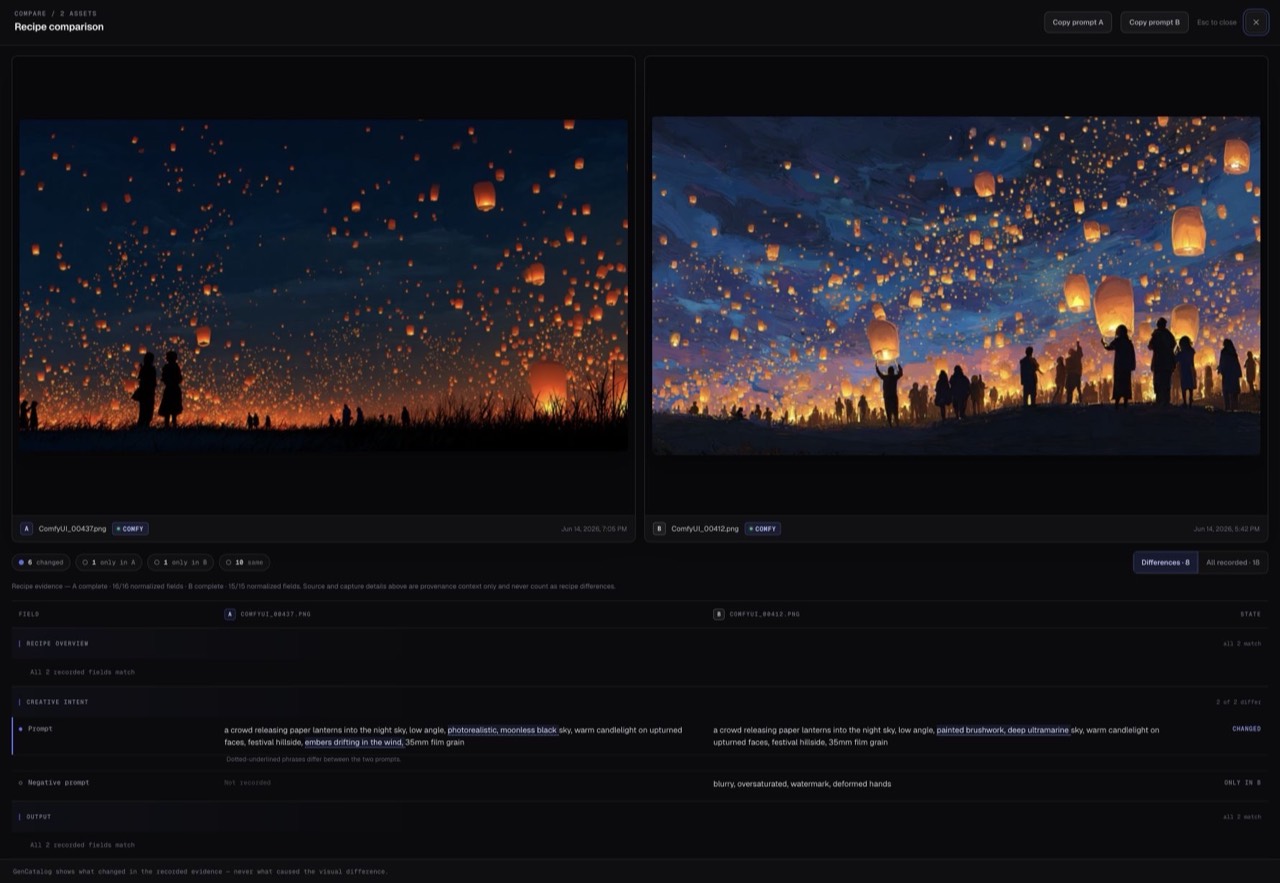
Pin two generations next to each other. Compare prompts, models, seeds, settings, notes, and source context without switching windows.
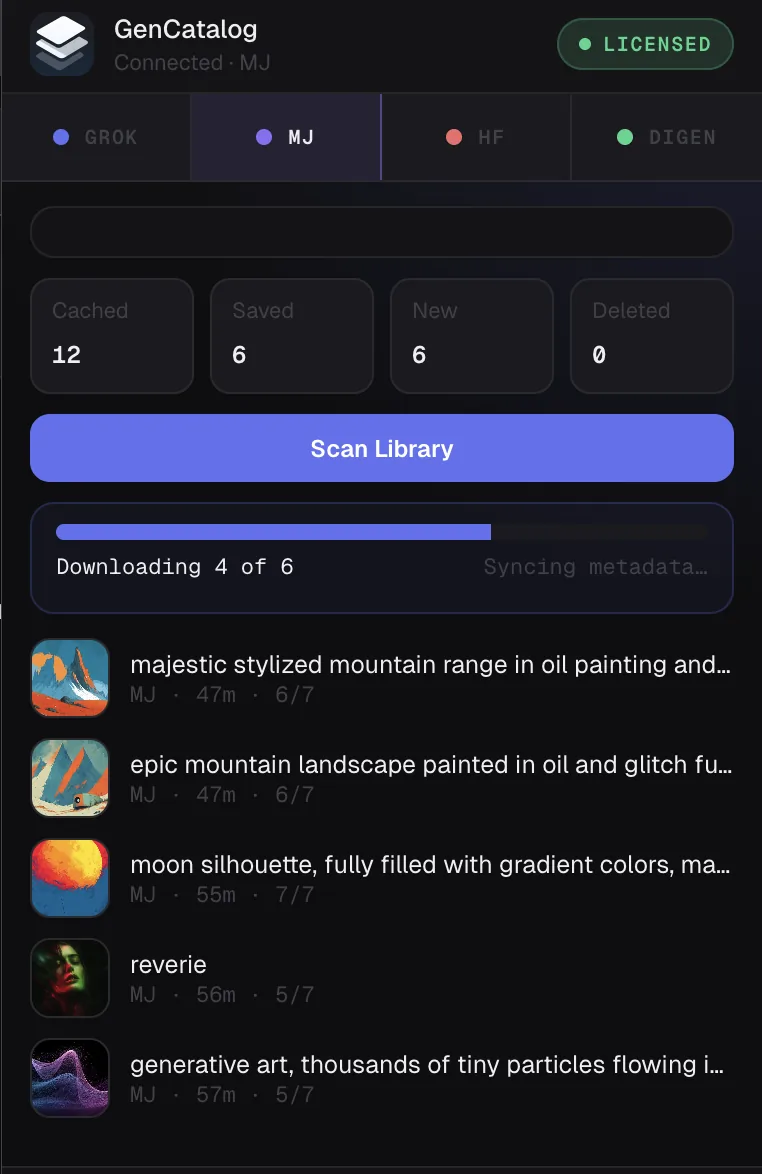
See what is cached, saved, new, or deleted, then scan months of supported platform history in one pass.
Hit Rediscover and a handful of random older generations come back into view. No algorithm and no rankings—just a way to wander your own library again.
Local by design
No account. No cloud uploads. No hosted archive holding your work hostage. GenCatalog stores your images, videos, prompts, and metadata in a folder you choose, using an open file format you can keep.
We never see your private library information. Anonymous product analytics never include your media, prompts, filenames, file paths, URLs, tags, notes, collections, account information, license information, or a persistent device identifier. Fresh installations show a clear notice before anything is recorded and let you turn analytics off immediately or anytime in Settings.
“Perfect tool for locally saving and managing work from Grok. I had 12,000+ files to manage and this tool was a godsend.”
“GenCatalog has completely changed how I organize and browse my MidJourney library. I’ve already rediscovered so many great images I had forgotten about.”
“I put it in the must have category—especially if you’re working across multiple platforms and wanting to bring all that content together in one place.”
“Amazing app, saves me days of importing a tonne of generations and their metadata.”
“This tool is indispensable if you’re serious about using any of these GenAI tools for work.”
Everything you’ve already captured stays on your computer and remains fully usable forever.
Your subscription lets you continue adding new work through captures, watched folders, and imports across supported platforms and local tools. GenCatalog continues to receive updates whether or not you renew.
Keep what you make
Free for 7 days or 250 saves. Then $99/year to keep your library growing. Applicable taxes are calculated at checkout. Your library is always yours.