You know it is in your Grok favorites. You just cannot find it.
Scrolling through hundreds or thousands of Grok generations is not search. It is hoping. GenCatalog turns your supported Grok history into a local library you can actually search, remember, and rediscover.
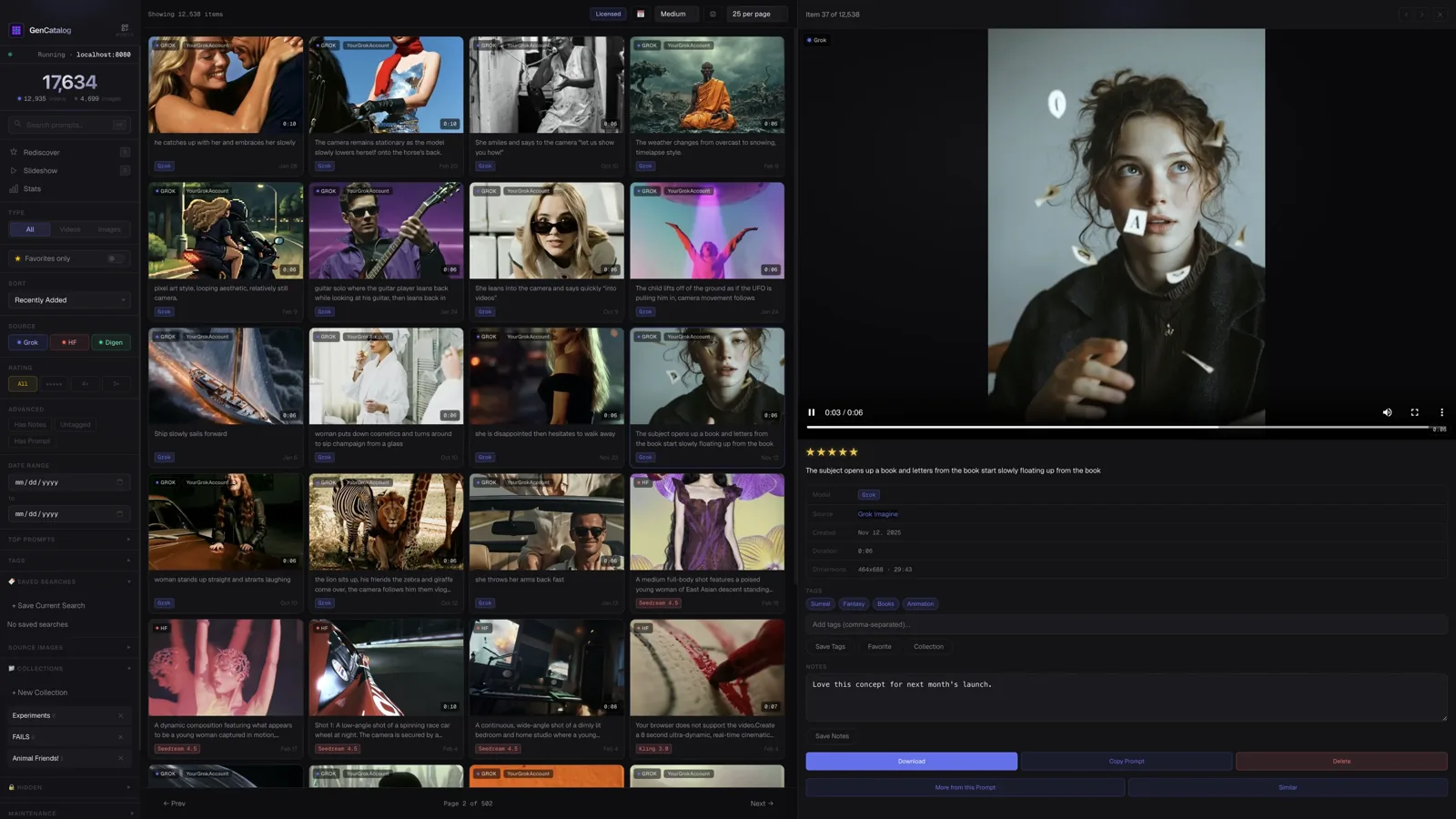
Grok favorites become cluttered faster than memory can keep up.
When you create heavily in Grok, the good work does not disappear all at once. It gets buried: a favorite from last week, a prompt that almost worked, a video you meant to revisit, a source page you can no longer find quickly.
Once your Grok library gets large, the problem changes. You are not asking whether the generation exists. You are asking how to find old Grok images without losing the afternoon to scrolling.
Prompts vanish into history
The output may survive, but the words that created it become hard to search, recover, and reuse.
Favorites remember less than you need
A saved item rarely tells the whole creative recipe: source, prompt, date, notes, project, and why you kept it.
Scrolling is not a Grok prompt archive
Favorites are useful for short-term saving, but they are not built for creative memory, notes, collections, and serious retrieval.
Platforms are for creating. GenCatalog is for remembering.
Search Grok generations by what you remember
Find saved work by prompt words, source, media type, saved date, and available generation context instead of guessing from filenames.
Recover Grok prompts and creative recipes
Keep prompt text, notes, ratings, collections, and source context beside the media when that information is available.
Keep local copies
Supported Grok images and videos can live in your local GenCatalog library, with prompt and generation context attached when available.
Rediscover old directions
Use GenCatalog when you remember the idea but not the exact day, folder, account, or favorite where the work landed.
Stop hoping the scroll lands in the right place.
Save while context is visible
Use the Chrome extension on supported Grok pages so the file and available generation context arrive together.
Rebuild the memory
Open the saved item, confirm the prompt and source details, then add a tag, note, collection, or rating while you still remember why it mattered.
Search before you scroll
Look locally by words, source, media type, tags, ratings, and saved dates instead of hunting through Grok history.
Return to the right work
When a source reference is available, keep it attached for traceability. Grok still controls what can be reopened or edited on its side.
Your Grok archive lives on your computer.
GenCatalog stores your library locally. Your prompts, notes, tags, and saved media stay under your control, with no account required for your catalog.
Find the Grok work you remember making.
Start turning Grok favorites, prompts, and old generations into a searchable local library.