Back up your AI generations before they disappear
Platforms help you create. They were never designed to become the permanent home of your creative work. Favorites disappear. Accounts change. Interfaces change. Downloads pile up. Your work deserves something more permanent.
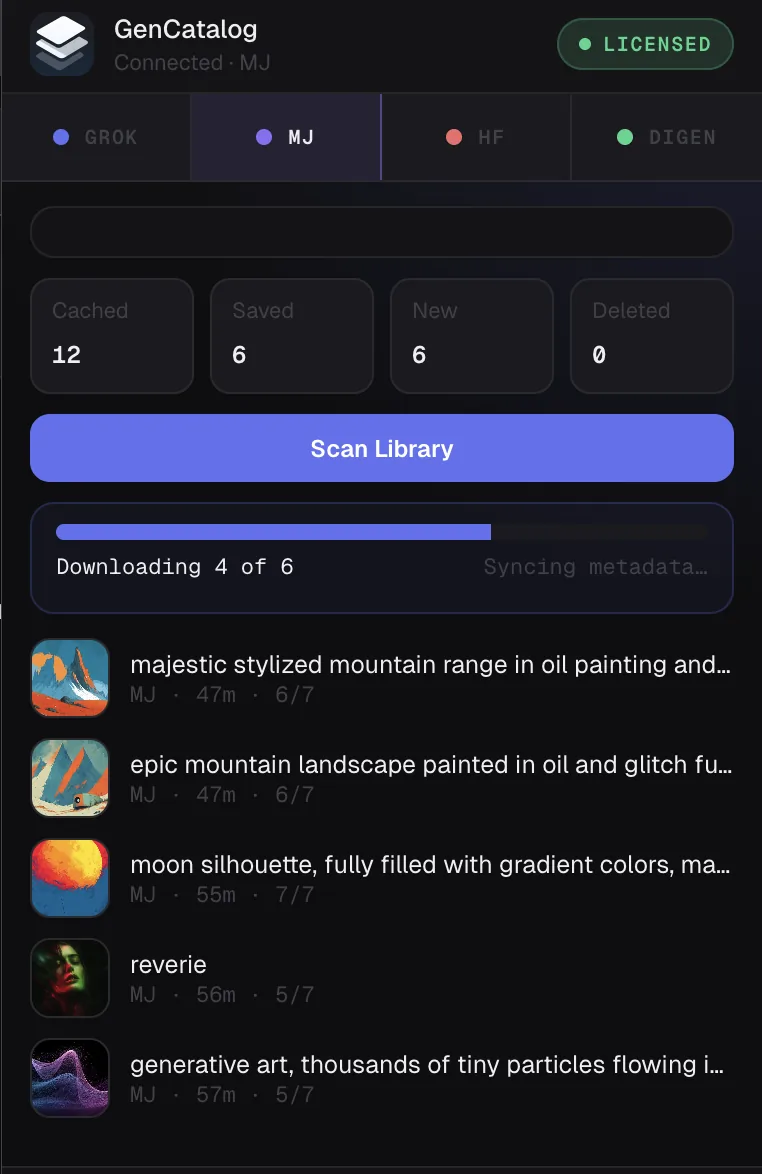
Platform histories are convenient until they are the only copy.
Generation tools change quickly. Subscriptions change. Favorites become crowded. Histories get harder to trust. Browser downloads rarely keep the prompt or source context that made the work useful.
A real local backup is not only the file. For AI work, it is the file plus the prompt, creative recipe, source, date, and notes that let you understand it later.
Platforms change
Interface changes, account changes, and shifting histories can make old work harder to reach.
Favorites can disappear into noise
A save button is useful, but a long platform list is not the same as ownership or a durable searchable archive.
Plain downloads are incomplete
The image or video may survive, but prompt history and creative memory often get left behind.
A local archive you can back up like the rest of your work.
Save supported platform media
The Chrome extension helps keep supported images and videos from Grok, Gemini, GPT Image, Rogue Studio, Dzine, Higgsfield, Midjourney, Digen, and Venice.ai in your own local library.
Keep the creative recipe
When available, prompt text, source, model context, and generation details stay attached to the local file instead of living only in a platform timeline.
Rescue existing local files
Bring older downloaded images and videos into the same archive, review them, skip duplicates, and add notes or source labels.
Search before restoring from memory
Find work by prompt, tag, rating, collection, source, media type, or saved date instead of relying on platform favorites alone.
Make GenCatalog the layer between platforms and long-term storage.
Choose a local catalog
Set up GenCatalog on your Mac or Windows PC and choose where your library should live.
Save current generations
Use the Chrome extension on supported platform pages so new work arrives with available context.
Recover older folders
Pull in existing downloads and local tool outputs so your backup starts with the library you already built.
Use your normal backup plan
Because your catalog is local, you can include it in the computer, external-drive, or backup workflow you already trust.
No cloud account required for your catalog.
GenCatalog is a desktop app with a local library. Your saved work stays searchable on your computer, under your control.
Give your AI work a more permanent home.
Start preserving the files, prompts, creative memory, and context your future self will need.