You did not lose your creativity. You lost your library.
Thousands of AI images. Hundreds of prompts. Ideas scattered across platforms, folders, downloads, external drives, favorites, and old projects. The work is still there. Finding it is not.
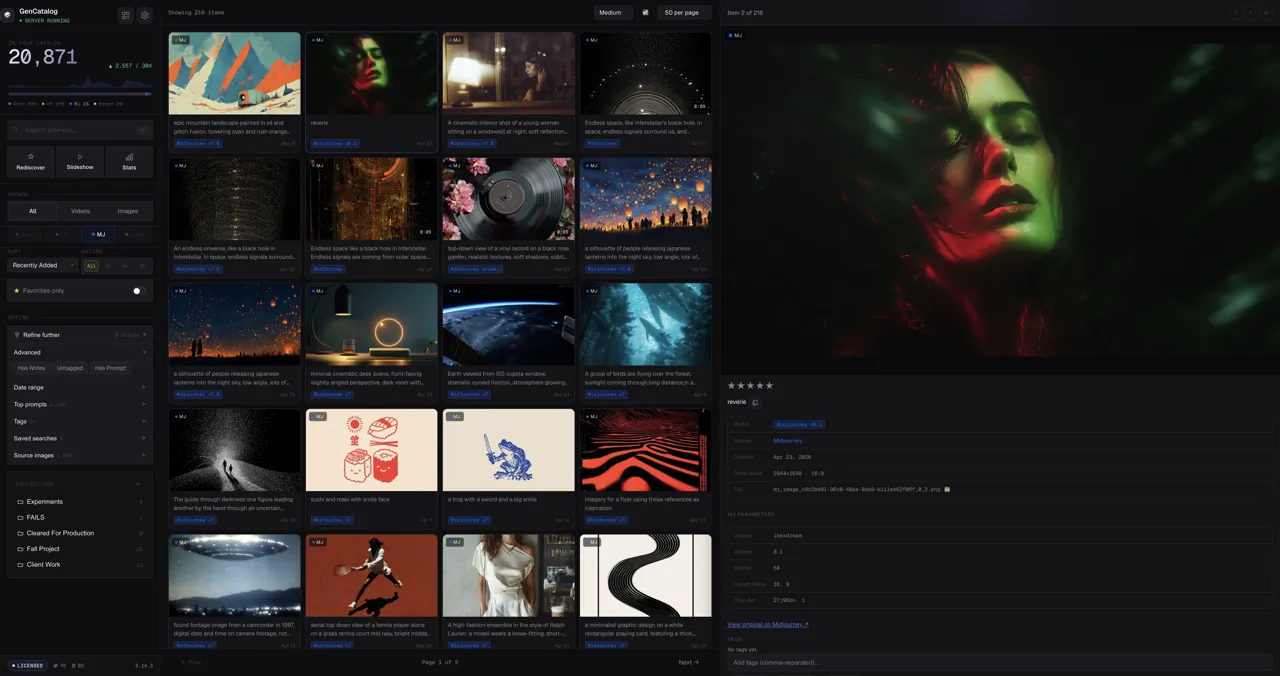
Your work survived in pieces.
You know the image exists. You remember the look, the prompt, the night you made it, the version a client liked, or the folder it might be in. But the actual file is somewhere in Downloads, a platform favorite, a browser save, an export folder, or a project directory named after something else.
That is the strange part of AI creation: you can make more work than ever and still lose the thread of your own ideas. The creative history is scattered. The creative memory is fragile. The archive is technically there, but it does not remember with you.
Downloads become a graveyard of good ideas
Random filenames and duplicate folders hide the work you meant to return to.
Prompts get separated from the result
The file remains, but the creative recipe and source context drift away.
Platforms are fragile places to keep memory
Histories change, favorites get crowded, and the tools that are great for creating are not built as your permanent archive.
Platforms are for creating. GenCatalog is for remembering.
Bring scattered work together
Use the Chrome extension for supported platforms and local import for existing folders, so old and new generations live in one searchable place.
Recover the story around the file
Keep prompts, source, model context, notes, tags, ratings, and collections with the media when that information is available or added during review.
Rediscover what you forgot you made
Search by words, source, date, tags, and notes. Find the useful work hiding behind vague filenames and months of platform history.
Own a local archive
Your catalog is local to your Mac or Windows PC. GenCatalog is not a hosted gallery and does not require a cloud account for your library.
Start with what is already slipping away.
Recover old folders
Bring in downloaded images and videos from folders, exports, API experiments, and local tools.
Save current work
Use the Chrome extension on supported platforms so new saves arrive with available prompt and generation context.
Add memory while it is fresh
Review the batch, tag projects, rate selects, add notes, and fill in prompt or source details you still know.
Search the archive
Use GenCatalog as the place you go when you remember the idea, not the filename.
"Organized my entire collection with ease."
"Even helped me find old gens that I didn't remember making." That is the promise: not just saving files, but getting back to your own creative history. GenCatalog stores your images, videos, prompts, tags, notes, and generation context in a desktop library you control.
Recover the work before it becomes a blur.
Start with one folder, one platform, or one set of favorites you have been meaning to rescue.